AI solutions
What we do
Services
Experts in
How we work


People don’t start their property search at an agency office anymore. They open a portal, set filters, check photos and floor plans, compare prices on the map, save listings, and only then decide who to contact. According to the National Association of Realtors, 52% of buyers found the home they purchased online, and almost half started their search there.
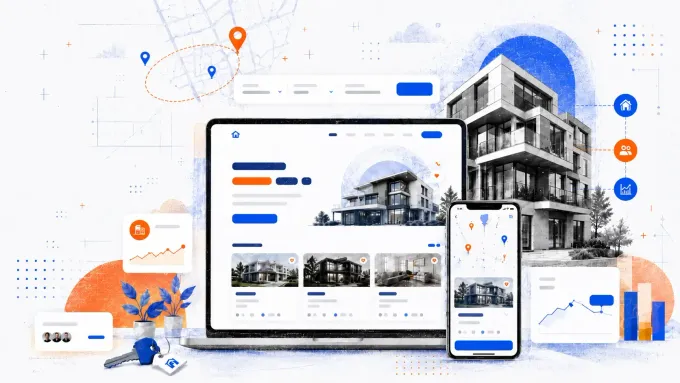
That makes real estate software development services much more than creating a nice-looking catalog. For brokers, agencies, property managers, and PropTech founders, a custom real estate portal can serve as a central hub where listings, leads, documents, property data, maps, and analytics work together instead of living in separate tabs.
The tricky part is making all of this feel simple for users while keeping the backend clean enough for your team. A portal with messy listing data, slow search, weak integrations, or unclear user flows quickly becomes another tool people work around. A well-planned portal does the opposite: it helps users find relevant properties faster, lets agents react before leads go cold, and gives managers a clearer view of what is happening across listings, deals, and clients.
At Clockwise Software, we’ve built 10+ real estate solutions and delivered 200+ software projects across industries. We’ll walk through the decisions that shape real estate portal development: what type fits your business model, which features are worth building first, how integrations affect architecture, what can influence cost, and where teams usually lose time when they skip proper discovery.
A real estate portal is a web platform where users search, list, compare, buy, rent, or manage properties. It can be a Zillow-style marketplace, a broker portal, a property management platform, an investment search tool, or a niche PropTech product built around a specific asset class or workflow.
But the definition only matters if the platform actually does something useful for the people on it.
The real value is in helping each user type complete their job faster, without jumping between tabs, chasing emails, or manually updating three systems at once.
| User | What they need from a portal |
| Buyers/renters | Find relevant properties fast |
| Sellers/landlords | Publish listings and manage requests |
| Agents/brokers | Capture leads and move them into CRM |
| Investors | Search, compare, and analyze properties at scale |
So why build your own portal in 2026? If you're running listings on a third-party marketplace, you're paying for every lead, and you don't own any of the data behind it. The platform controls the user journey, the ranking logic, and the relationship with your potential clients.
A custom portal changes that. Your listings, your leads, your analytics, your conversion funnel. You decide what users see, how they move through the flow, and where they end up.
Beyond ownership, the operational case is just as strong. A well-built portal replaces the manual work that currently lives across spreadsheets, inboxes, and banking apps. Rent collection, lease signing, maintenance requests, document storage, lead routing — all of it can run through one system your team actually controls.
The cost of not having that infrastructure grows as the business scales. More listings mean more data to manage. More agents mean more coordination overhead. More tenants mean more communication to track. A portal built around your workflow handles that growth without adding headcount to manage it.
A home-buying marketplace, a landlord platform, and an investor search tool may all use listings, maps, and user accounts. Under the hood, though, they are completely different products. Each one needs its own workflows, data model, user roles, and integrations. Let’s look at how the main types of online real estate portal development differ and what you need to get right for each one.
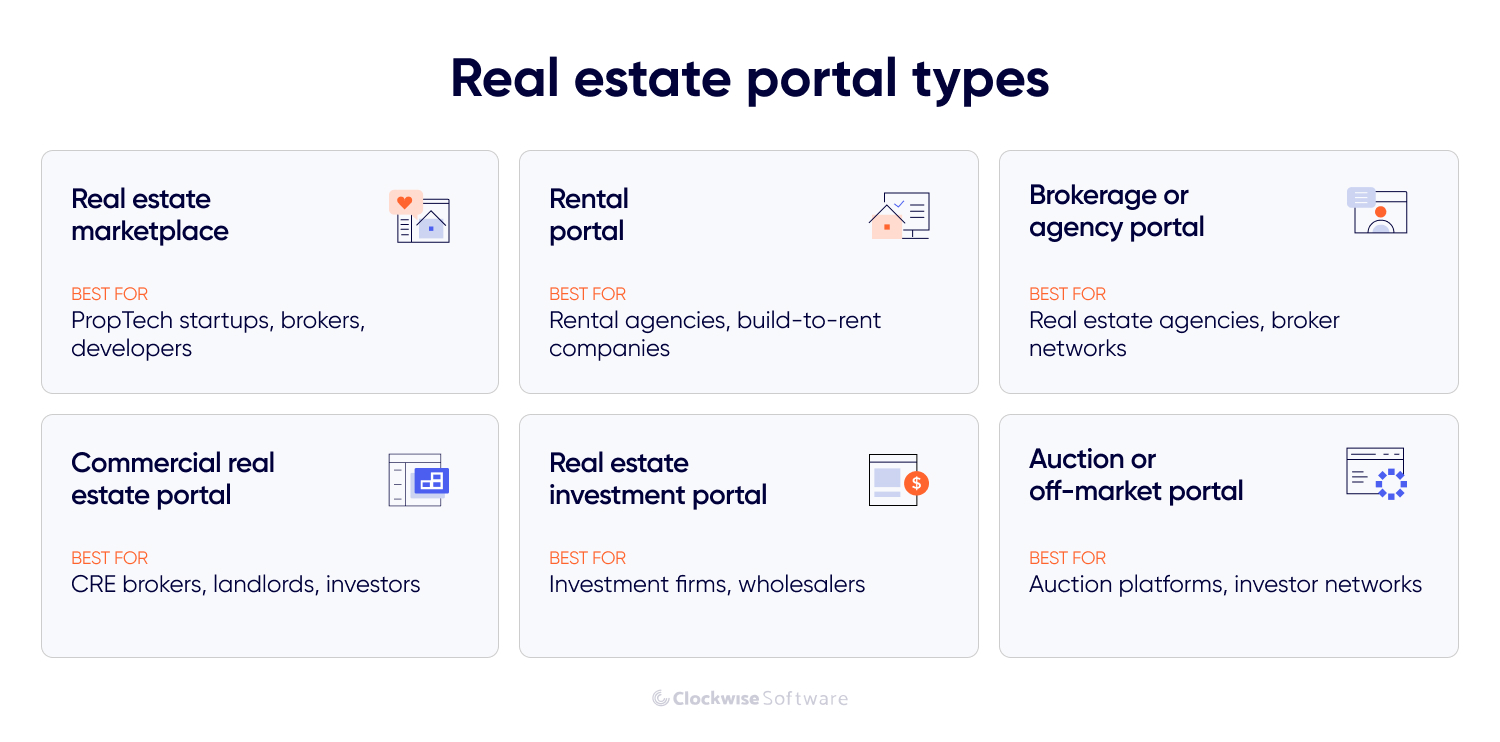
A marketplace connects buyers, renters, and investors with sellers, landlords, agents, and developers. Zillow, Rightmove, and Realtor.com are the standard references, but the same model works for niche platforms too: luxury homes, student housing, senior living, short-term rentals, or new-build developments.
The standard feature set includes listings, advanced search, map view, saved properties, user profiles, lead forms, agent dashboards, moderation, and analytics. The hard part isn't building a clean property card. It's keeping listing data fresh, search fast, and lead routing accurate when thousands of users interact with the same inventory simultaneously.
This type works well for rental agencies, build-to-rent companies, student housing providers, and startups that want to simplify the rental journey. A rental portal helps tenants find available homes and helps landlords or agents process applications without the back-and-forth. It needs more workflow logic than a general listing site: availability calendars, application forms, tenant screening, document uploads, deposit handling, lease signing, recurring payments, and automated reminders.
The portal should feel easy for tenants, but the backend has to track every status clearly: available, reserved, under review, approved, leased, or canceled.

A brokerage portal gives you your own branded space for listings, leads, agents, and clients, instead of funneling traffic to third-party marketplaces and paying for every lead generated there.
Typical features include listing management, agent profiles, lead capture, CRM integration, viewing requests, client dashboards, saved searches, and reporting. The main adoption risk here is duplicate work. If agents still have to update the portal, CRM, spreadsheet, and email thread separately, they'll route around it. Clean CRM sync and simple listing management matter more than any advanced feature you could add on top.
A commercial real estate portal is built for offices, warehouses, retail spaces, industrial properties, land, or mixed-use assets. It needs different search logic from residential products because users compare properties by business fit, not just lifestyle fit.
For example, a commercial real estate portal needs filters such as square footage, zoning, lease type, floor load, ceiling height, parking, access roads, tenant mix, foot traffic, nearby infrastructure, and availability date. The product should help users answer one question fast: “Can this space work for my business or portfolio?”
A real estate investment portal is less about browsing properties and more about deciding which deals are worth pursuing. Investment firms, wholesalers, funds, brokers, and PropTech startups use it to compare returns, spot promising opportunities, and move the best ones into a deal pipeline.
To support that workflow, the portal needs to do more than show listings. Teams can use bulk search, ownership data, and skip tracing to find opportunities, then rely on valuation models, ROI calculators, and rent estimates to assess them. Lead scoring, saved pipelines, forecasting, and reports help manage what happens next. The real value is not the listing page itself. It is helping a team work through large volumes of property data and spot promising deals faster.
Auction and off-market portals focus on properties that are not sold through a standard public listing flow. This can include foreclosures, distressed assets, private seller inventory, bank-owned properties, or investor-only deals.
These products often need a different user verification flow than a standard login, access control, bidding logic, offer management, payment or deposit flows, and audit trails. Trust matters a lot here. Users need to know who can access each deal, what documents are available, how offers are handled, and what happens after a bid or inquiry is submitted.
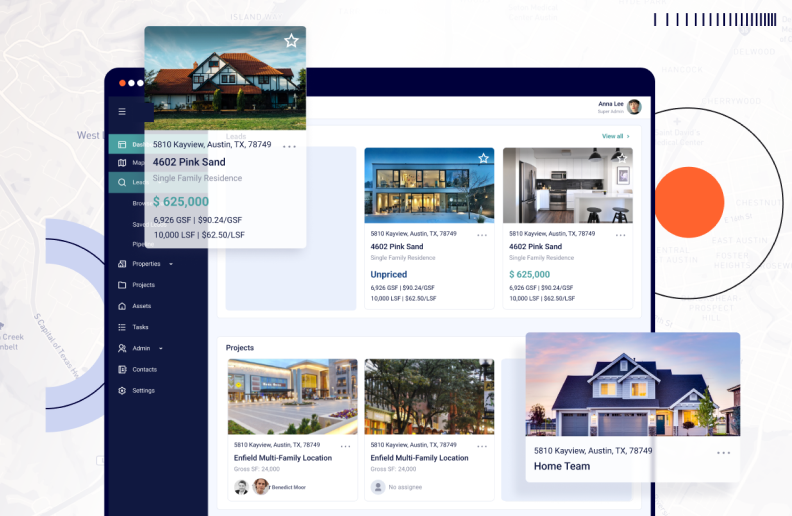
A real estate portal usually has three product layers: the user side, the agent or owner side, and the admin panel. The exact feature set depends on your business model, but the core is often the same: listings, search, maps, communication, data management, and control over what happens inside the platform.
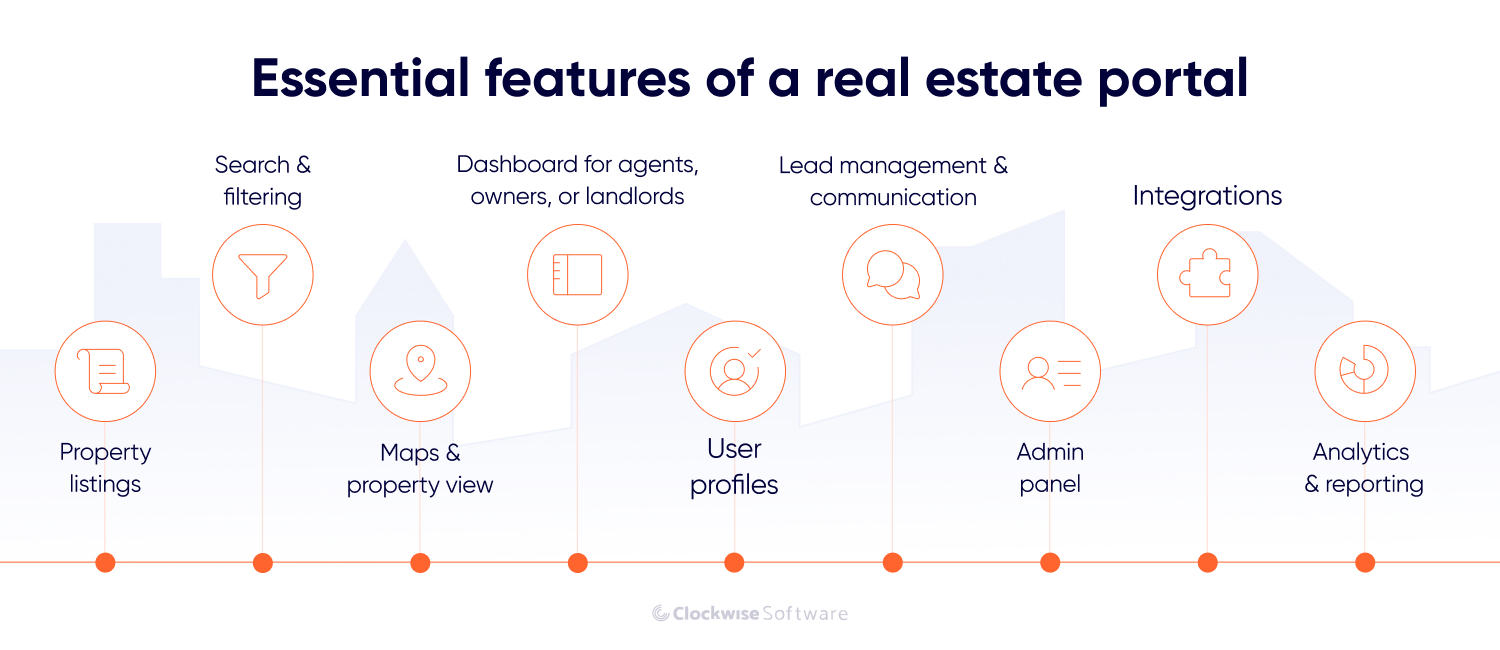
Listings are the foundation. Every other feature (search, recommendations, lead routing, analytics, CRM sync) depends on how clean and structured your listing data is.
Each listing should carry structured fields: price, location, property type, size, bedrooms, amenities, availability, photos, floor plans, documents, agent details, and status. The key word is structured. Free-text descriptions and inconsistently formatted data make search unreliable, filters inaccurate, and reporting useless.
Before building anything advanced, define a clean property data model, including rules for how listings get created, reviewed, updated, archived, and removed. That real estate web portal development decision saves a lot of pain later.
Search is where users decide whether your portal is worth their time. Slow results, irrelevant matches, or missing filters — and they’re gone.
A good search should understand more than exact wording. A query for “pet-friendly apartment” should also find listings described as “pets allowed” or “dog-friendly,” while accounting for spelling variations, synonyms, and related terms.
Filters then help users narrow results by location, price, property type, size, amenities, availability, and other criteria relevant to the portal. But remember that you’re not trying to include every possible filter. You’re trying to get users to relevant options faster. On the backend, this means proper indexing so search stays quick as the listing count grows, whether you have 500 properties or 500,000.
In a real estate app, location is a core product logic. A map view gives users spatial context that a list simply can't: where a property sits relative to schools, transit, shops, and the neighborhoods they actually care about.
The right map layers depend on the decision users are trying to make. A residential portal may highlight schools and commute times, while commercial or investment platforms may focus on market trends, risk zones, or custom location data.
The engineering side matters as much as the UX. Every map interaction (search, zoom, filter, layer toggle) can trigger API calls. Without optimization, maps get slow and expensive fast. In one of our location-based projects, Lilypad, we ran into Mapbox's 100-marker rendering limit for real-time location data. The solution was building a custom clustering algorithm that grouped nearby data points dynamically, letting users zoom in to see individual locations and zoom out to see regional density. The same principle applies directly to real estate map search, especially for investment and MLS portals handling large property volumes.
User profiles make the portal easier to use by keeping relevant activity in one place. Buyers and renters can save searches, favorite properties, compare listings, subscribe to alerts, upload documents, and track requests. Agents, landlords, and property managers can use profile data to understand client activity and intent.
This is also where the portal starts collecting useful first-party data: which filters get used, where users drop off, which properties attract attention, and which listings get saved but never contacted.
A real estate portal also needs a dedicated workspace for agents, property owners, landlords, and brokers. This is where they manage listings, update availability, respond to leads, review applications, handle messages, and work with documents.
The workspace may also include a dashboard with key metrics, such as listing views, new inquiries, response times, and conversion rates. The goal is to keep daily work in one place. If users still need to update the portal, CRM, spreadsheet, and email thread separately, the product will not save them much time.
Every portal needs a clear path from interest to action. Depending on the model, this can be a contact form, call request, chat, viewing scheduler, offer submission, or booking request.
For brokerages and marketplaces, the important part is routing. The right lead should reach the right agent, with the right property context, fast. Plus, it’s useful to add features like status tracking, reminders, document requests, and notifications.
The admin panel is where your team keeps the platform under control. Admins need to manage users, listings, roles, permissions, moderation rules, payments, reports, content, and integrations.
This part is easy to underestimate because users do not see it. But a weak admin panel usually means more manual work for the development team. A good one helps your team fix data issues, review suspicious listings, manage access, and understand what is happening without asking developers for every small change.
A real estate portal usually needs to connect with listing feeds, CRMs, map services, payment tools, and document platforms. Each integration should support a clear workflow, whether that means keeping property data current, routing leads, or letting users complete payments and paperwork inside the portal.
How we approach it

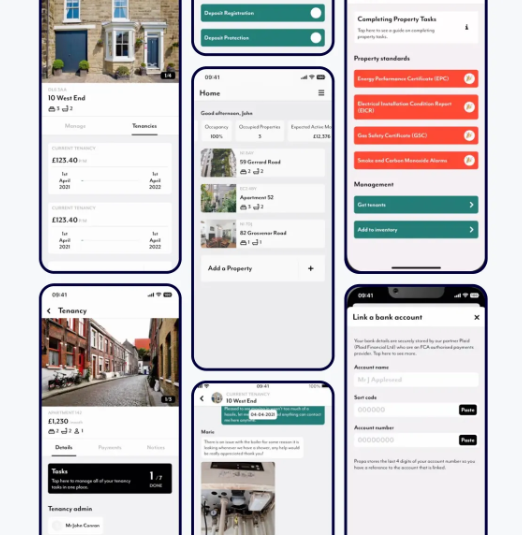
Early on, we map which system owns each piece of data and what the product should do when an API stops responding. On StoneBay, that meant normalizing property data before it reached the platform; on Propa, it meant tracing every Plaid step between the user, the bank, and the backend. Most issues show up in those handoffs, not in the API call itself.
These integrations should be planned early because they affect data structure, user flows, security, and cost.
Analytics helps you see whether the portal actually supports the business. Basic reporting can show traffic, inquiries, listing views, saved properties, conversion rates, lead sources, and agent performance.
Once the basics are in place, you can track the metrics that matter to your business. Want to see which areas attract the most attention? Add demand heatmaps. Need to follow price changes? Build a pricing tracker. Want to know where users drop out of the funnel? Add conversion reporting. The goal is not to collect more data, but to give each role the visibility they need to make better decisions.
Basic listings, search, and maps are no longer enough to stand out. Users expect the portal to do more of the work for them: suggest relevant properties, explain documents, estimate prices, and reduce back-and-forth with agents or managers.
That doesn’t mean every solution needs VR tours or a custom-trained AI model to align with trends in real estate web portal development. The better question is: which feature removes the most friction from the user journey you want to improve?
AI-powered matching helps users find relevant properties without manually working through dozens of filter combinations. Instead of relying only on price, location, and bedroom count, the portal analyzes behavior, saved listings, search history, property attributes, and past interactions to surface better options automatically.
For agents and brokers, the same logic works in the opposite direction: match buyers with listings that fit their intent, budget, location preferences, and urgency, before the buyer has to ask.
A similar approach can work beyond real estate. For a global influencer marketplace, we explored a matching model that combined structured criteria, such as category, audience size, and engagement rate, with behavioral signals. The goal was to improve match relevance and reduce the time the team spent reviewing creators manually, with a projected 30% increase in the loyalty index.
Real estate users deal with a lot of text: property descriptions, lease terms, inspection reports, HOA documents, investment notes, legal files. AI summaries compress that into readable highlights without replacing the source material.
For buyers and renters, that can mean a quick pros-and-cons view of a listing. For investors, faster review of deal documents. For property managers, a digest of maintenance history, tenant requests, or upcoming lease obligations.
The point of AI-powered real estate solutions is not to replace expert review, but to help users understand what deserves attention first.
Standard filters are useful, but they don't always match how people think. A user might want to search for "a pet-friendly apartment near downtown with parking under $2,000" rather than click through ten separate dropdowns.
Natural language search makes the portal easier to use, especially when listings have rich, structured data underneath. It also helps internal teams search across properties, leads, documents, and CRM notes faster than any filter panel allows.
This feature makes the most sense when your portal already has clean data. Without that, AI search may sound impressive but return weak results.
Valuation tools can help users estimate property prices, rental rates, or investment potential based on property attributes, location, market data, and historical trends.
For brokerages, this can support pricing strategy. For rental platforms, it can help landlords set competitive rent. For investors, it can speed up early deal screening before deeper analysis.
This feature should be treated carefully because pricing depends on data quality and market context. It works best as decision support, not as a black-box answer users are expected to trust blindly.
Not every inquiry has the same priority. Lead scoring helps agents understand who is browsing casually, who is ready to schedule a viewing, and who may need follow-up now.
A portal can score leads based on saved properties, repeat visits, budget fit, application progress, message history, requested viewings, or real estate CRM data. This helps teams respond faster and avoid losing high-intent users in a full inbox.
Feature selection gets most of the attention in early planning conversations. But before design and coding, you need to decide how the platform will store data, scale search, manage user roles, connect integrations, and support your future business model.
These decisions are not “technical details for later.” They define how fast you can launch, how much the portal will cost to maintain, and whether it will survive growth without painful rebuilds.
A small MVP doesn't need the same architecture as a Zillow-scale marketplace. A goal at the start is to avoid two failure modes: overengineering an MVP that hasn't proven anything yet, or building something so rigid that every new feature requires touching half the codebase.
For early-stage products, a modular monolith is usually the right call. It's faster to build, easier to test, and cheaper to maintain. Listings, users, search, payments, and admin logic live in one codebase but are organized into well-separated modules that can be extracted later if needed.
Microservices make sense when the product has high traffic, multiple teams working in parallel, or modules that scale at fundamentally different rates. Search, notifications, payment processing, and listing sync may eventually become independent services. But that's a growth problem, not a launch problem.
The stack should match your product goals, team capacity, and expected load, not be based on real estate tech trends. Here's what we typically use across real estate portal projects:
Next.js is worth calling out for real estate specifically. It ships server-side rendering out of the box, which matters for SEO. Portals built on client-rendered SPAs are harder to rank, and for products where listing discovery is a core acquisition channel, that's not a detail to leave for later.
Real estate portals have more user roles than they appear to at first. Buyers, renters, sellers, landlords, agents, brokers, property managers, investors, and admins all need different levels of access, different views, and different permissions.
Role management needs to be designed early because it touches almost every feature. Who can create listings? Who can edit prices? Who can see private documents? Who receives leads? Who approves properties? Who has access to analytics?
This becomes even more important if the portal may evolve into a SaaS or white-label product. In StoneBay, a real estate management platform we built for a US-based investment company, we built a user management module that allows the client to onboard other organizations as users of the platform. The client's plan is to turn StoneBay into a white-label product, giving different companies access to the same functionality with their own teams, permissions, and data. That capability was designed in from the start.
Real estate portals need to connect with lots of tools: MLS/IDX feeds, a CRM, one or more map providers, a payment gateway, open banking, e-signature tools, email and SMS services, and more.
The mistake most teams make is treating integrations as features to add after the core is built. But integrations affect the data model, the user flow, the security requirements, and the architecture. Plan them before real estate web portal development starts.
A few things worth deciding early: which system is the source of truth for each data type, what happens when a sync fails, how often data needs to refresh, and what the fallback behavior looks like when a third-party API is down.
Monetization affects technical decisions more than most teams expect. A portal built purely for lead generation has very different backend requirements than one running subscriptions, featured placements, transaction-based commissions, or a wallet system.
Common monetization models include paid listings, featured placements, agent or landlord subscriptions, commission on transactions, paid analytics access, tenant screening fees, and white-label licensing.
The model should be clear before real estate web portal development starts because it shapes user roles, payment flows, access control logic, analytics, and admin functionality.
How we approach it
Monetization logic needs to be scoped before development starts, because it touches everything else: roles, access control, analytics, admin. On SmartSkip, a skip tracing platform, wallet logic wasn't something Stripe handles natively, so we managed the balance on the backend and kept each payment type isolated in its own module. That separation is what keeps the system extensible when the business adds a new revenue stream later.
Real estate portal development usually moves through four practical stages: building the core modules, testing the workflows and edge cases, releasing the product to users, and maintaining it as listings, integrations, and business needs change.
Discovery is where a product idea becomes a buildable plan. Together with the client, we work through the business model, user roles, feature priorities, integrations, data sources, risks, and MVP scope.
For a real estate portal, this stage catches a lot of hidden complexity before development starts. Where do listings come from? How often should they sync? Who can edit property data? What happens when a lead comes in? Which CRM receives it? What should admins control without developer involvement?
This stage gives you clearly shaped user flows, technical requirements, architecture vision, feature breakdown, estimates, and a roadmap. This is what keeps you away from the "we'll figure it out during development" trap that usually becomes a budget problem later.
Portal development for real estate starts with the product core: listings, search, user accounts, dashboards, admin panel, and the most critical integrations. The goal is to ship the first useful version fast enough to test real demand and stable enough to build on.
For real estate portals, we recommend building in modules. Property search, lead management, payments, analytics, and document workflows can be developed as separate parts of one system. This makes the platform easier to expand without turning every new feature into a rebuild.
The MVP approach also keeps the budget under control. Instead of trying to ship every feature with the first version of your product, you start with what supports the main workflow and later layer in other functionality, whether it’s AI matching, valuation tools, advanced map layers, or investor analytics — when the product has traction and real user feedback to guide priorities.
Testing on a real estate portal is focused on validating that everything matches requirements shaped during discovery and works exactly as you want it.
We check for edge cases here too. What happens if a listing feed fails mid-sync? What if two agents edit the same property simultaneously? What if a payment is interrupted? What if a user uploads the wrong document type? These scenarios decide whether the portal feels reliable after launch or generates support tickets right on the first day.
For deployment, a soft launch with a limited user group is often better than opening the platform to everyone at once. It gives the team time to collect feedback, fix weak spots, and improve onboarding before scaling traffic.
After launch, real estate portals need regular attention. Listings change, integrations update, user expectations shift, and security requirements evolve.
Support typically covers bug fixing, performance monitoring, infrastructure updates, integration maintenance, feature improvements, and user feedback processing. For portals connected to third-party APIs, this phase is especially important. Providers change rate limits, data formats, and access rules, sometimes without much notice.
A solid support setup keeps the product stable while the team keeps improving it. That's the difference between "we launched a portal" and "we have a portal that keeps working for the business."
Real estate web portal development cost depends on the product type, feature depth, integrations, and the amount of data logic behind the scenes. A simple branded portal for an agency and an MLS-powered marketplace with payments, map layers, and AI matching are very different products, even if both are called “real estate portals.”
For planning, it helps to look at a few different product levels. The ranges below are based on real estate products we’ve built since 2022.
| Portal scope | What it includes | Timeline | Approximate cost |
| Discovery + prototype | Requirements, architecture, clickable prototype, estimates | 4–8 weeks | $15K–$50K |
| MVP portal | Listings, search, filters, user accounts, basic admin, lead forms | 3–5 months | $50K–$100K |
| Mid-level portal | Advanced search, map view, agent dashboard, CRM integration, notifications, analytics | 5–8 months | $100K–$500K |
| Complex portal | Multiple data feeds, advanced workflows, AI features, multi-tenant access, advanced admin | 8–12+ months | $500K+ |
The most effective way to keep real estate web portal development costs under control is to start with the workflow that delivers value fastest. A brokerage MVP might focus on listings, search, lead capture, CRM sync, and agent dashboards. An investment portal might start with bulk search, data enrichment, saved pipelines, and reports. A property management portal might begin with rent tracking, documents, maintenance requests, and tenant communication.
That's also where discovery pays off directly. Before development starts, we define the must-have feature set, check integration risks, map user flows, and separate what's needed for launch from what can come later. It produces a more realistic estimate and avoids paying for features that don't move the product closer to market.
Like any software product, a real estate portal has areas that need extra attention during development. Here are the challenges we’ve seen in practice and what helped us handle them.
Outdated listings are one of the fastest ways to lose user trust. A property that's already sold, listed twice, missing photos, or showing the wrong price — users can easily just blame the portal and leave.
The solution starts with clear data ownership rules: where listings come from, which source is the master record, how often data syncs, who can edit what, and how stale or duplicate listings get handled automatically. With MLS software development services or other third-party API integrations, you also need monitoring for sync failures. If the feed breaks silently at 2 AM and nobody knows until agents start getting complaints, that's an architecture problem.
Real estate portals’ work frequently depends on a web of third-party systems, and if one breaks, users don't care which vendor is at fault. They see a missing listing, a failed payment, or a lost lead.
The answer is to treat integrations as first-class architecture concerns. That means error handling and retry logic for every connection, logging so failures are visible when they happen, clear fallback behavior when a service is unavailable, and defined ownership of what happens when data conflicts between systems.
Plus, before real estate web portal development starts, we always audit the APIs you depend on: check rate limits, data formats, sync rules, and what the provider's track record looks like. Integration problems are much cheaper to prevent than to debug in production.
Real estate portals have more user types than they appear to at first: buyers, renters, sellers, landlords, agents, brokers, property managers, investors, admins. Each needs different access, different views, and different controls. If permissions aren't designed into the core architecture early, the platform becomes hard to extend and risky to operate.
The problem compounds if the portal grows into a SaaS or white-label product. Different organizations need separate data spaces, their own user hierarchies, and independent permission sets, all running on the same infrastructure.
We built this kind of multi-tenant structure into StoneBay from the start, which is what made the white-label roadmap viable without a rebuild. The lesson: role management is not a feature to add after launch. It's a structural decision that affects almost everything else in the system.
Real estate web portal development goes beyond listing pages. Our approach covers real estate workflows, messy property data, integration-heavy architectures like real estate ERP, multi-role access, and the pressure to launch without burning budget on the wrong features.
Here's what that looks like in practice.
Real estate product experience. We've built 10+ real estate solutions ( marketplaces, rental platforms, property management tools, MLS/IDX products) and delivered 200+ software projects across industries. We've seen the edge cases. We won’t discover them for the first time on your project.
Budget and timeline control. Our CPI/SPI variance consistently stays under 10% across projects. For a real estate web portal development with a complex scope, that predictability is worth a lot.
Integration-ready from day one. We've worked with 100+ integrations across real estate and adjacent products: CRMs, valuation engines, geodata providers, open banking, document tools, and financial platforms. We know where APIs break, where rate limits bite, and how to design the integration layer so adding a new connection doesn't touch the core system.
Discovery that actually reduces risk. We run a structured discovery phase before development starts: requirements elicitation, architecture design, data flow mapping, feature prioritization, and realistic estimates.
Architecture built to scale. Our solution architect designs systems to sustain 99.99% uptime as the platform grows. New modules will plug in without touching what's already working.
AI where it moves the needle. We don't add AI features because they look good in a pitch. Every AI implementation starts with a clear outcome, a proof of concept, and measurement against real KPIs: speed, accuracy, and cost.
Depending on your stage and needs, we work in 3 modes.
Full-cycle product development covers everything from discovery and design through launch and post-launch support.
A dedicated development team gives you a stable group embedded in your product, working as an extension of your organization.
And if you're not ready to build yet, discovery helps clarify scope, architecture, and technical risk before any commitment is made.
Real estate web portal development isn't about copying Zillow or adding a map to a listing website. It's about building a product that fits your business model, keeps property data clean, moves users through the right workflows, and gives your team control over listings, leads, documents, and daily operations.
The decisions that matter most happen before development starts: portal type, architecture, data model, integrations, user roles, monetization logic. Get those right, and the build becomes predictable. Skip them, and every new feature becomes a negotiation with technical debt.
The best starting point is answering a few practical questions: who will use the portal, what job should it help them complete, where will the data come from, which integrations are non-negotiable, and what needs to ship first.
This is a core part of how we prepare projects for development. We clarify these decisions upfront, so your team can move into delivery with a realistic scope and plan.